
Search

Showing 46-60 of 654 for "ken colburn"

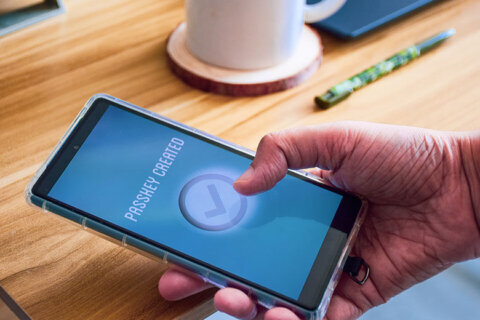
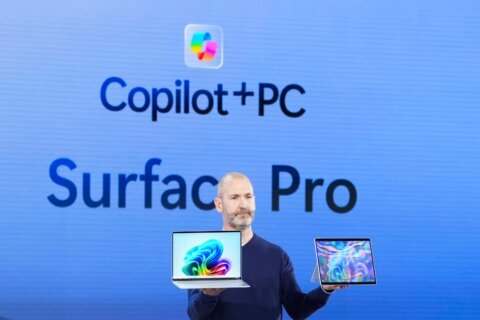
Data Doctors: Why your laptop battery is overheating Data Doctors: Why your laptop battery is overheating 03/14/2025 02:22pm • Q: What’s causing my laptop battery to get overly hot? A: If your laptop battery is heating up more than usual, it’s important not to ignore it. While some warmth is normal during use, excessive heat can be a sign of serious issues that might impact both performance and longevity. In seve Data Doctors: Cybersecurity tips for traveling abroad Data Doctors: Cybersecurity tips for traveling abroad 03/07/2025 04:48pm • Q: What should I do to my tech before my first trip to a foreign country? A: Traveling abroad for the first time is an exciting experience, but it's also a prime opportunity for cybercriminals to target unsuspecting tourists. Whether you're checking your email, using public Wi-Fi, or doing some o Data Doctors: How to quiet ads and suggestions in Windows 11 Data Doctors: How to quiet ads and suggestions in Windows 11 02/28/2025 05:03pm • Q: How can I purge Microsoft’s constant ads, pop-ups and suggestions in Windows 11? A: If it seems as if you’re seeing more suggestions from Microsoft creeping into your Windows experience, it’s not your imagination. Microsoft has been steadily increasing the presence of promotional content Data Doctors: Deficiencies in Windows Defender and a possible alternative Data Doctors: Deficiencies in Windows Defender and a possible alternative 02/21/2025 05:12pm • Q: What does Trend Micro’s Internet Security do over Windows Defender? A: Cyber threats today aren’t just about viruses. Phishing scams, ransomware attacks and identity theft are all evolving, making basic antivirus protection insufficient. While Windows Defender (now called Microsoft Defende Data Doctors: Using your smartphone via satellite Data Doctors: Using your smartphone via satellite 02/14/2025 04:43pm • Q: Is there any reason I shouldn't sign up for T-Mobile's free satellite service if I have Verizon? A: If you've ever been in a remote area with no cell service, you know the limitations of being completely cut off. Whether it's a backcountry hike, a road trip through the mountains, or an emergen Data Doctors: Passkeys vs. Passwords Data Doctors: Passkeys vs. Passwords 02/07/2025 04:01pm • Q: What’s the difference between a password and a passkey? A: If you’ve ever been frustrated with remembering passwords, dealing with password managers, or worrying about your credentials getting hacked, passkeys are here to change the game. They’re not just a better security feature, theyâ Data Doctors: Debunking AirDrop and Apple Pay security myths Data Doctors: Debunking AirDrop and Apple Pay security myths 01/31/2025 06:37pm • Q: Could you explain the dangers of credit cards in your Apple Wallet and AirDrop? A: A viral video on TikTok last year declared the dangers of having AirDrop activated on iPhones, while other videos pointed to Apple Pay as another security risk. The lingering impact of this bad advice is that Data Doctors: Should you be using Windows Hello? Data Doctors: Should you be using Windows Hello? 01/24/2025 01:33am • Q: What’s Windows Hello, and should I be using it? A: If you’re like most computer users, getting into your PC involves typing in a password or maybe even a PIN. Windows Hello is akin to what most of us have adopted on our smartphones: biometric access. If your computer or tablet has the r Data Doctors: What's next if TikTok shuts down? Data Doctors: What's next if TikTok shuts down? 01/17/2025 03:45pm • Q: What are my options if TikTok shuts down? A: TikTok, with its addictive algorithm, has become a cultural phenomenon, and a livelihood for many. Whether you’re a casual user or a dedicated creator, the possibility of TikTok shutting down in the U.S. raises the question: what's next? It may Data Doctors: Is a Copilot+ PC worth buying? Data Doctors: Is a Copilot+ PC worth buying? 01/10/2025 04:56pm • Q: Is a Copilot+ PC worth buying right now? A: The overwhelming use of artificial intelligence to sell just about everything will continue, and the Copilot+ PC is Microsoft’s current campaign for those using the Windows operating system. It is more than just a marketing campaign, as these co Data Doctors: Tips for organizing messy computer cables Data Doctors: Tips for organizing messy computer cables 01/03/2025 04:00pm • Q: What are the best options for getting all the computer cables under my desk under control? A: If tackling the tangled mess of cables under your desk is a New Year's resolution, the key is strategic planning to know what accessories will work best. Do the math The first consideration is the n Data Doctors: Can you do video conferences on a Chromebook? Data Doctors: Can you do video conferences on a Chromebook? 12/20/2024 06:30am • Q: I’m considering a Chromebook as my travel computer; how are they with video conferencing? A: Since their debut in 2011, Chromebooks have steadily evolved, addressing limitations that initially made them impractical for many users. The initial focus was on the education sector, as the devi Data Doctors: Why the FBI warning on texting applies to everyone Data Doctors: Why the FBI warning on texting applies to everyone 12/13/2024 09:22am • Q: The FBI warning about text messaging has me a bit confused. I’m not a government worker, so what exactly is the risk for me? A: The recent discovery that state-sponsored Chinese hackers had infiltrated the U.S. telecommunications networks led to the FBI warning. This realization, along wi Data Doctors: Steps for creating your digital legacy Data Doctors: Steps for creating your digital legacy 11/29/2024 01:35pm • Q: What should I be thinking about to allow my family access to my digital assets should I pass away? A: The outline for leaving physical assets behind to your heirs or estate is well laid out, but less so when it comes to your digital assets. Your digital assets extend far beyond online photo Data Doctors: How to use Windows' multiple desktop feature Data Doctors: How to use Windows' multiple desktop feature 11/22/2024 04:24pm • Q: Is there a simple way to manage a single Windows computer that everyone in the family uses? A: The standard way to keep things separate is to create separate user accounts, each with its own password: Press the Windows logo key and the I key to open the settings menu, then go to "Accounts," "F









Log in to your WTOP account for notifications and alerts customized for you.

Sign up